How to Fax from Your Computer: A Complete Guide
What Is Computer Faxing and Why It Matters
Faxing from a computer replaces the traditional paper‑based machine with a cloud or software service that sends documents over the telephone network digitally. This method keeps the legal standing of a fax while eliminating the need for a dedicated fax machine, ink, and bulky paper trays.
Businesses in the United States still rely on fax for contracts, medical records, and government forms because many recipients require a faxed signature. Understanding how to fax from computer helps you meet those requirements faster, cheaper, and with better tracking capabilities.
Choosing the Right Fax‑to‑Email Service
Not all fax services are created equal. The best options provide a virtual fax number, email delivery, and an easy‑to‑use web dashboard. Look for providers that support both sending and receiving faxes, offer a free trial, and have clear pricing tiers.
Key Features to Look For
- Unlimited inbound faxes or a generous inbound allowance
- High‑resolution sending (300 dpi or higher)
- Secure transmission with TLS encryption
- Dashboard for monitoring fax history and delivery reports
- API or integrations with common business tools
Step‑by‑Step Setup for Sending a Fax from Your PC
Getting started is straightforward. Most services require you to create an account, claim a fax number, and verify an email address where incoming faxes will be delivered.
Preparing Your Documents
Convert the document you want to fax into a PDF or an image file (TIFF, JPEG). Ensure the file is legible and fits within the provider’s size limits, typically 10 MB per fax.
Sending the Fax
Log into the service’s web portal, upload the prepared file, enter the recipient’s fax number, and hit “Send.” Most platforms will send a real‑time status update and an email receipt once the fax is successfully transmitted.
Receiving Faxes on Your Computer
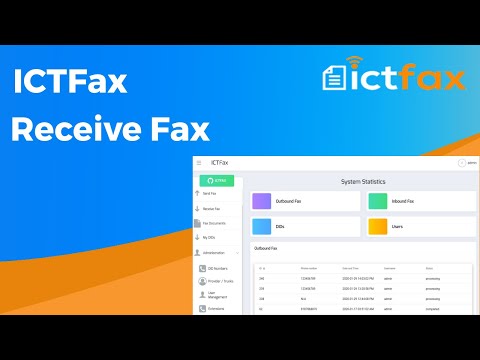
When a fax is received, the service converts it into a PDF and forwards it to the email address you defined during setup. Some providers also allow you to download faxes directly from a secure web dashboard.
This workflow eliminates the need to print, scan, or store physical paper. You can organize incoming faxes in folders, apply tags, or forward them automatically to coworkers using email rules.
Pricing Models and Cost Considerations
Pricing varies by service, but most providers offer three basic models: pay‑as‑you‑go, monthly subscription, or annual commitment. Choose a model that matches your fax volume and cash‑flow preferences.
| Plan Type | Typical Cost | Best For | Included Faxes |
|---|---|---|---|
| Pay‑as‑you‑go | $0.10‑$0.25 per page | Infrequent fax users | None (pay per page) |
| Monthly Subscription | $9.99‑$29.99 per month | Small businesses with regular fax needs | 100‑500 pages |
| Annual Commitment | $99‑$299 per year | Larger enterprises or high‑volume faxing | Unlimited inbound, 1,000‑2,000 outbound pages |
When evaluating cost, factor in hidden fees such as per‑page charges for overage, international fax rates, and any setup fees. Many services also offer discounts for multi‑year contracts or non‑profit organizations.
Security, Reliability, and Compliance
Faxes often carry sensitive information, so encryption and audit trails are essential. Look for services that use TLS for data in transit and store documents on servers with at‑rest encryption.
Compliance Standards
Healthcare providers must meet HIPAA requirements, while financial firms may need to adhere to GLBA. Choose a provider that can sign a Business Associate Agreement (BAA) if you fall under these regulations.
Integrations and Workflow Automation
Modern fax services can plug into the tools you already use, reducing manual steps and saving time.
- Gmail and Outlook add‑ins for sending faxes directly from email
- CRM integrations (Salesforce, HubSpot) to attach faxed documents to records
- API access for custom automation in document management systems
- Cloud storage connectors (Google Drive, Dropbox) for automatic saving of received faxes
Automation features such as scheduled faxing or batch processing are useful for recurring reports, mass mailing of contracts, or bulk notifications.
Troubleshooting Common Issues
Fax Not Delivered
If the recipient reports a failed delivery, check the status page in your dashboard for error codes. Common causes include an incorrect fax number format, busy line, or exceeding the provider’s page limit.
Poor Image Quality
Low‑resolution PDFs or scanned images can produce unreadable faxes. Always export documents at 300 dpi or higher, and avoid compressing files too aggressively before upload.
Most providers offer live chat or email support that can trace the transmission path and confirm whether the issue lies with the sender, the service, or the recipient’s fax machine.
Making the Decision: Is Computer Faxing Right for Your Business?
To determine whether you should switch from a traditional fax machine to a digital solution, weigh the frequency of your fax traffic, the importance of security, and the potential cost savings.
If you need a reliable way to send and receive documents without the hassle of hardware, fax‑to‑email services provide a modern, scalable alternative. For occasional users, a pay‑as‑you‑go plan may be most economical, while high‑volume operations benefit from subscription or enterprise plans.
Ready to explore options? Visit can i fax from my computer to compare top providers and start a free trial.